
Mappings from a source entity to a target entity can be imported into Designer in either CSV or JSON format.
See also:
Usage
The Import Mappings menu is located on the Designer front page, next to the package list.
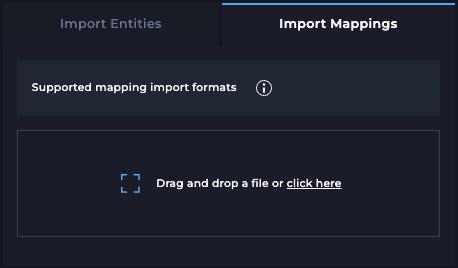
Prepare an import file using the required format to add new mappings, and then import it via the Import Mappings menu.
CSV format
Basic requirements
-
Header row is mandatory
-
No extra whitespace between columns
-
Allowed column delimiters:
-
comma: ","
-
semicolon: ";"
-
pipe: "|"
-
-
Allowed encoding:
-
UTF-8 (with or without BOM)
-
-
Allowed end of line characters
-
Windows: CR LF
-
Unix: LF
-
Columns
|
Columns |
Description |
Example |
Required |
|---|---|---|---|
|
source_entity_schema |
Schema name of the source entity. |
|
Yes |
|
source_entity_name |
Name of the source entity or table. |
|
Yes |
|
target_entity_schema |
Schema name of the target entity. |
|
Yes |
|
target_entity_name |
Name of the target entity or table. |
|
Yes |
|
target_entity_load_name |
Load job name for the target entity. |
|
Yes |
|
entity_mapping_name |
Name of the mapping between source and target. |
|
Yes |
|
target_attribute_name |
Attribute or column name in the target entity. |
|
Yes |
|
source_system |
Source system identifier. |
|
No |
|
source_attribute_names |
One or more source attribute names (comma-separated and quoted). |
|
No |
|
target_system |
Target system identifier. |
|
No |
|
target_entity_load_type |
Type of target entity load process (e.g., |
|
No |
|
target_entity_load_schedule_name |
Name of the load schedule configuration. |
|
No |
|
target_entity_load_description |
Description of the load process. |
|
No |
|
entity_mapping_position |
Position or sequence of the mapping within the entity definition. Each mapping is identified by a unique |
|
No |
|
entity_mapping_type |
Classification of the mapping type. Allowed values |
|
No |
|
transformation_type |
Type of transformation applied (e.g., |
|
No |
|
transformation_formula |
Transformation formula applied to the source column(s). |
|
No |
Example CSV File
Example import file with required columns
source_entity_schema,source_entity_name,target_entity_schema,target_entity_name,target_entity_load_name,entity_mapping_name,target_attribute_name
staging,STAGE,rdv,H_ORDER,load_h_order_from_stage,stage_to_h_order,dv_id
staging,STAGE,rdv,H_ORDER,load_h_order_from_stage,stage_to_h_order,dv_load_time
staging,STAGE,rdv,H_ORDER,load_h_order_from_stage,stage_to_h_order,customer_name
Example import file with all columns
source_system,source_entity_schema,source_entity_name,source_attribute_names,target_system,target_entity_schema,target_entity_name,target_entity_load_name,target_entity_load_type,target_entity_load_schedule_name,target_entity_load_description,entity_mapping_name,entity_mapping_position,entity_mapping_type,transformation_type,transformation_formula,target_attribute_name
company_crm,staging,STAGE,stage_create_time,company_dv,rdv,S_ORDER,load_s_order_from_stage,TRANSFORM_PERSIST,load_s_order_from_stage_schedule,Load from STAGE to S_ORDER,stage_to_s_order,1,SOURCE,CUSTOM,"TO_VARCHAR(sdt_stage_create_time::TIMESTAMP, 'MM/DD/YYYY, HH24:MI HOURS')",formatted_time
company_crm,staging,STAGE,"customer_id,order_id,product_id",company_dv,rdv,S_ORDER,load_s_order_from_stage,TRANSFORM_PERSIST,load_s_order_from_stage_schedule,Load from STAGE to S_ORDER,stage_to_s_order,1,SOURCE,HASH,,dv_id
JSON format
In addition to CSV, mappings can also be imported using a JSON file.
The JSON format provides a hierarchical structure that supports multiple mappings, transformations, and attribute configurations in a single file.
|
Field |
Description |
Example / Notes |
|---|---|---|
|
loadName |
Load name for the target entity. |
|
|
loadType |
Type of the load. |
|
|
scheduleName |
Name of the load schedule configuration. |
|
|
description |
Description of the load. |
|
|
targetSourceSystem |
Target system name. |
|
|
targetEntityName |
Target entity name. |
|
|
targetEntityOwner |
Schema of the target entity. |
|
|
entityMappings |
Object containing one or more entity mappings. |
Each key is the mapping name (e.g., |
|
entityMappings..sourceSystem |
Source system name. |
|
|
entityMappings..sourceEntityName |
Name of the source entity. |
|
|
entityMappings..sourceEntityOwner |
Schema of the source entity. |
|
|
entityMappings..mappingName |
Name of the mapping. |
|
|
entityMappings..position |
Position or sequence of the mapping within the entity definition. Each mapping is identified by a unique |
|
|
entityMappings..mappingType |
Classification of the mapping type. Allowed values |
|
|
entityMappings..attributeMappings |
Array containing attribute-level mappings. |
See below. |
|
attributeMappings.sourceAttributes |
List of source attributes involved in the mapping. |
|
|
attributeMappings.targetAttribute |
Target attribute name. |
|
|
attributeMappings.transformationFormulaType |
Type of transformation applied (e.g., |
|
|
attributeMappings.transformationFormula |
Transformation formula or expression. |
|
Example JSON File
{
  "loadName": "load_s_order_from_stage",
  "loadType": "TRANSFORM_PERSIST",
  "scheduleName": "1_HOUR",
  "description": "Load from STAGE to S_ORDER",
  "targetSourceSystem": "company_dv",
  "targetEntityName": "S_ORDER",
  "targetEntityOwner": "rdv",
  "entityMappings": {
    "stage_to_s_order": {
      "sourceSystem": "company_crm",
      "sourceEntityName": "STAGE",
      "sourceEntityOwner": "staging",
      "mappingName": "stage_to_s_order",
      "position": 1,
      "mappingType": "SOURCE",
      "attributeMappings": [
        {
          "sourceAttributes": ["sdt_stage_create_time"],
          "targetAttribute": "formatted_time",
          "transformationFormulaType": "CUSTOM",
          "transformationFormula": "TO_VARCHAR(sdt_stage_create_time::TIMESTAMP, 'MM/DD/YYYY, HH24:MI HOURS')"
        },
        {
          "sourceAttributes": ["customer_id", "order_id", "product_id"],
          "targetAttribute": "dv_id",
          "transformationFormulaType": "HASH",
          "transformationFormula": null
        }
      ]
    }
  }
}
Notes
The import will fail if there are:
-
Any mappings to attributes which do not exist in the target entity
Examples
Entity mapping queries
Example entity mapping queries can be found from Github.