
Private Preview
Installation can be activated per tenant basis. Contact ADE support, reach out in Community Slack or through the contact form in case you’re interested in activating Agile Data Agent.
Before installing, make sure you have:
-
A tenant with Agile Data Agent activated (see Private Preview above)
-
An External API key (key ID + secret), created in Admin UI.
-
See Setting up API-keys for ADA for the required permissions.
-
-
Your IP address allowlisted for the tenant, see Network restrictions below.
Installation
Agile Data Agent is installed through the ADE Artifacts store.
MacOS/Linux (Bash)
curl -fsSL https://artifacts.saas.agiledataengine.com/install.sh | bash
Windows (PowerShell)
irm https://artifacts.saas.agiledataengine.com/install.ps1 | iex
By default, ADA is installed into a Python virtual environment. If the environment isn't already active, the installer will prompt you to activate it.
The installer authenticates using your External API key.
Network restrictions
Two independent checks must pass before the installer can authenticate:
-
Tenant-level IP allowlisting. Your IP must be allowed in the Admin UI Access Rules for the tenant.

-
API key network rules. The External API key itself can carry its own IP/CIDR restriction, separate from the tenant-level allowlist.
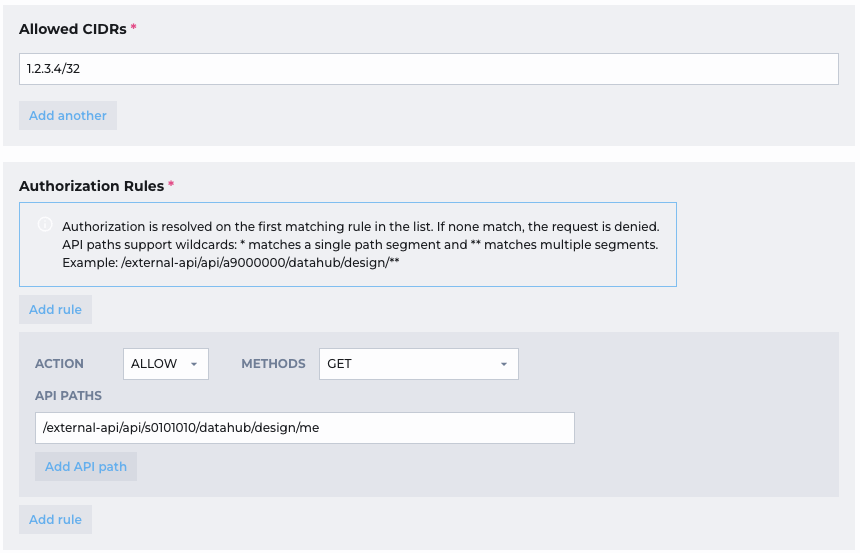
Both must independently allow your IP. If either blocks it, the installation fails.
If installation fails with an authentication error rather than a network error, double-check that your API key has the correct GET permission (/me), see Setting up API-keys for ADA .